Digital Photo Organizing – The Process in Detail
1. Phone Consultation: It starts with a free phone call. In the course of this thirty-minute conversation I will get a pretty good idea of the job ahead and give you an estimate for my services, and the cost of any hardware or software that I might recommend for you. We schedule a time for a Gathering Session.


2. The Gathering Session: We sit down at your computer and proceed to gather your photographs from all of your devices, including cell phones, memory cards, DVDs, CDs, iCloud, Apple Photos, etc. We gather them all onto an external hard drive. I take notes about any keywords and captions you may want me to add to the photos. In addition we gather any physical photos (albums and prints) you may want me to digitize.
3. Creating your Photo Library: Over the following day or two, using primarily Adobe Lightroom and Adobe Bridge, I consolidate your photos into chronological folders, by year and month, eliminating duplicates and separating videos into their own folders. Any work that you’ve already done in captioning or keywording your images will be preserved, as best as possible. Optionally, I can rename the photos, and add keywords to the metadata. The latter can help you locate particular images.
4. Scanning: If you are having me scan prints and albums, I complete this work, then merge the finished scans into your Photo Library.
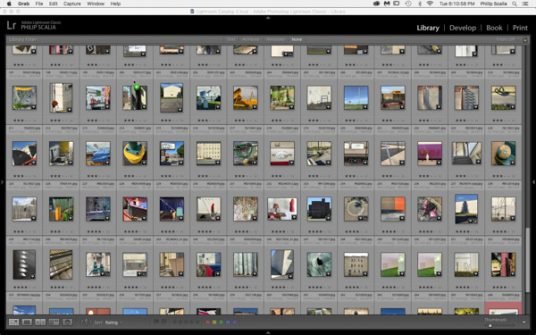
The Lightroom Interface
5. Delivery and Coaching: I offer free delivery of your freshly organized Photo Library on the external drive. If your Main Photo Library will reside on your computer, I copy this library from the external drive to your computer. The external drive now becomes your back-up. If we are working with two external drives, I will have already backed up the Library to the second drive. I sit down with you and coach you (1) how to download photos to your Photo Library, and (2) how to back up your Photo Library. You may decide that you want to back up your photos to the cloud. If so, I also show you how this is done. Read more about backing up your photos.
6. Going Forward: Looking ahead, ideally you will continue to apply these methods of downloading and backing up that I have taught you. That said, if you are anything like me, you need to be using these techniques with some frequency, lest you forget what you have learned. You can choose to have me periodically update – quarterly or annually or whenever – your Photo Library. You may also benefit from a one-on-one tutorial in Apple Photos.