Sharpen Your Skills With One-on-One Coaching
Taking a lesson will sharpen your skills; taking a course could even inspire permanent positive change in your confidence. Do you want to “Take it to the Next Level”? As someone who shoots and processes tens of thousands of photographs every year, in essence I’m teaching my own practice. I’ve logged tons of hours watching videos, reading books on Photoshop, Lightroom, Bridge. You don’t have to go through this, because I did. To put it another way, when I’m not teaching the course, I’m taking the class. The lessons are designed to help all who want to learn, from beginner to advanced.
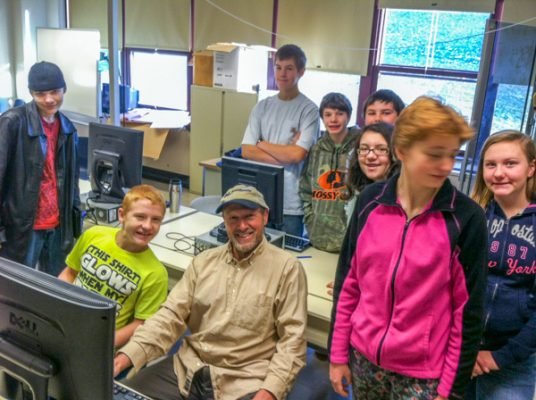
Teaching Digital Photo-collage: Arts-in-Education at Canajoharie Middle School
Photo Organizing – two hours – $100
Learn what you need to learn to do it yourself.
- Gathering all your photos from all your devices into a central hub
- How to remove duplicates
- How to make chronological folders
- How to rename your files in batches, and how to
- How to add and search for captions and keywords
- How to make folders by theme, such as “Family”, “Travel”, “Holidays”, “Flowers” and the like. (These are some categories that I use, your own interests will be different.
Backup Bootcamp – two hours – $100
- Using the tools that come with your computer (Mac or Windows) to back up to an external drive
- Learn other back-up software, such as Carbon Copy Cloner
- Backing up to the Cloud using Google Photos, Amazon Prime, DropBox or BackBlaze.
- Syncing your back-ups.
Adobe Lightroom Course
Lesson 1 – three hours – $125
Get up and running smoothly in Adobe’s premier cataloging program.
- Getting familiar with the interface, toolbar, options and preferences
- Importing (downloading) and exporting photos
- Batch renaming photos
- Making use of Ratings, Color Labels and Flags
- Using the Basic Panel to enhance colors
- Optimizing and backing up the catalog
- Creating Virtual Collections as a tool of organizing portfolios
Lesson 2 – three hours – $125
Continuing your Lightroom Education with more detailed techniques. If you already have a working knowledge of Lightroom you might only need this.
- More fun in the Develop Module – Gradient and radial filters, lens corrections, perspective control, noise reduction, spot removal, adjustment brush, sharpening and more.
- Printing
- Making slideshows
- Making web galleries
- Making your own photo book in the Book Module
Apple Photos Lesson – two hours – $100
- The ins and outs of this handy and popular program
- How to sync with iCloud
- How to make and manage albums and Projects.
Adobe Photoshop Course
Adobe Photoshop is the undisputed queen of imaging applications. If you’re at all serious about photography, you want to learn Photoshop. The course is designed to build on previous lessons. Part 1 will get you up and running with a basic set of bankable skills. Part 2 will continue to expand your skills.
Part 1 – four hours – $200.
- Making a custom workspace.
- The interface, toolbox, option bar and preferences
- TIFF vs JPEG vs PSD file formats, Save and Save As….
- Understanding the histogram and clipping
- Understanding image resolution and dimensions
- Basic photo corrections
- Straightening and cropping
- Using the History Panel and Snapshots
Part 2 – four hours – $175.
- Clone Stamp and Healing Brush tools
- Sharpening – the Unsharp Mask filter
- Working with selections – Magic Wand, Quick Selection and Lasso tools, Refine Edge
- Using the color sampler tool to achieve color balance and remove an unwanted color cast
- Layers and the layers panel – making collages from multiple images
- Masking
- Typographic Design and the Type tool
- Drawing and Painting tools
- Smart Objects
- Color Management – using the best color mode for the situation